変更履歴
Reedapt の新着情報
リリースしたものを、リリースのたびにお知らせします。
- 新機能
Reedaptが新しくなりました
reedapt.comを一新しました。ダークモードに全面対応し、使用するCookieも選べるようになりました。
- Every page of reedapt.com is new. On the home page you can hear a real dub: The Winlos’ “my money” skit, in English and in French.
- Pick dark mode once and Reedapt follows it everywhere: the site, your dubs and the editor, Live and Explore.
- We only measure how the site is used after you say yes. Change your mind any time from Cookie settings at the bottom of the site.
- When we plan maintenance, a bar at the top of Reedapt tells you before it happens.
- After your first dub, a short survey adds 10 free minutes. Nearly out? Top up 15 minutes for $2, to use within 30 days.
- If something stops you signing in, we now say what.
- 新機能
Reedapt のどこからでもお問い合わせ
不具合を見つけたとき、アイデアがあるとき、困ったときは、画面の隅の「フィードバック」から Reedapt の開発チームに直接届きます。スクリーンショットも送れて、返信はその場に表示されます。
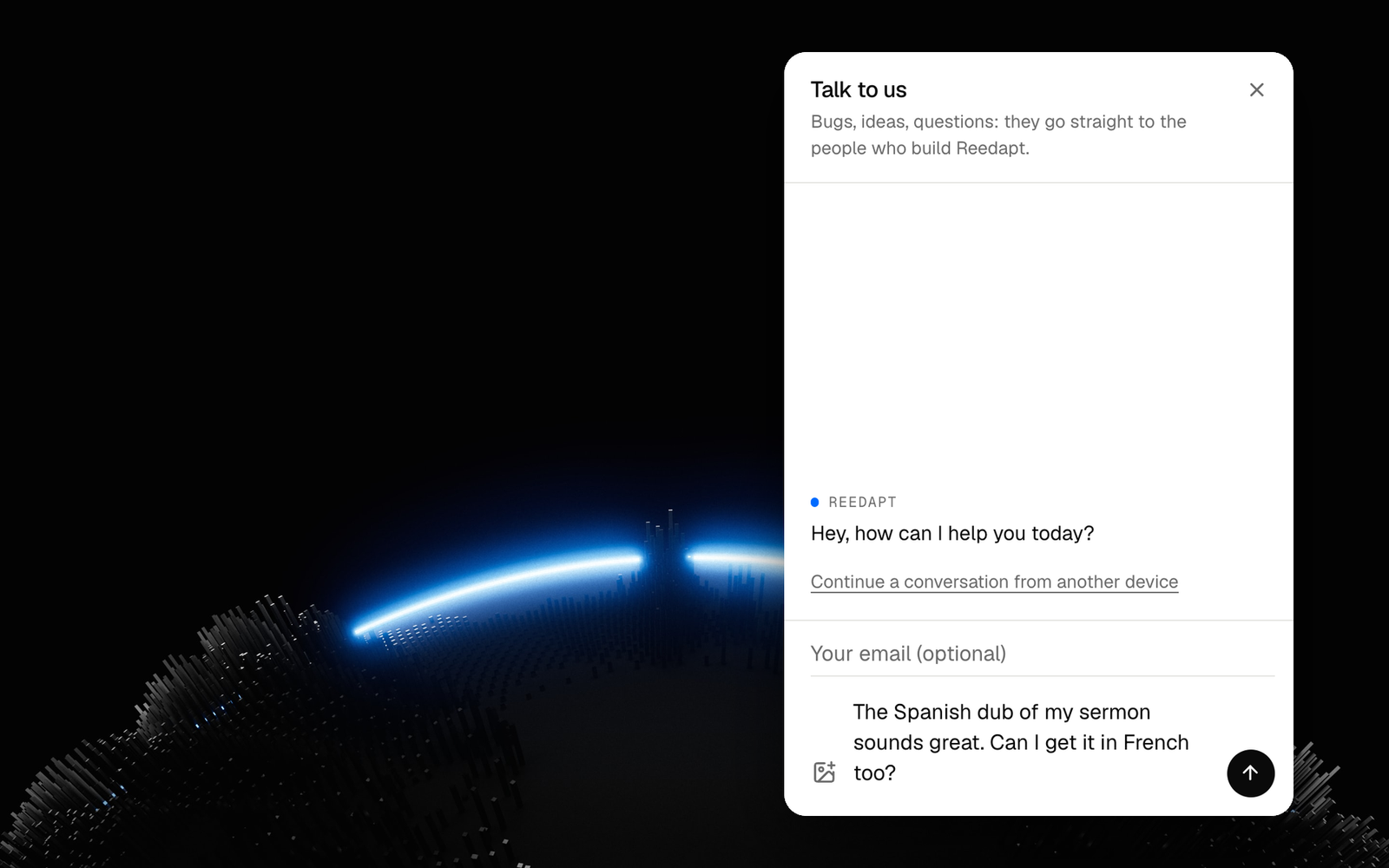
- Open it from Feedback in the corner, from Send feedback in your account menu (under More on a phone), or from Talk to us at the bottom of the site.
- Add up to three images with the image button, by pasting, or by dropping them onto the chat.
- Replies show up in the chat, and a dot on the Feedback button tells you one is waiting.
- Every conversation stays in your list. A resolved one stays readable, and writing again starts a new one.
- On another device? Ask for a link by email and your conversations come with you.
- 改善 · 吹き替え
吹き替えがもっと探しやすく
ホームを開くと最新の吹き替えが表示され、「新しい吹き替え」はサイドバーの一番上に、プロジェクトでは絞り込みと検索ができます。完成した吹き替えの「⋯」から、別の言語で吹き替えたり名前を変更したりできます。
- Your dubs come first: Home now opens on your latest dubs. Watch, download or try again right from the list.
- One place to start a dub: New dub sits at the top of the sidebar, and at the bottom of the screen on phones. The upload page is simpler: pick a file, check the details, start.
- Find any dub fast: Projects has filters and search, and tells you before a dub is deleted.
- Dub again, or rename: from ⋯ on a finished dub, dub it into another language without uploading it again, or give it a name.