If you broadcast every week, you know the routine. Someone has to send out the new link, someone else asks for it again, and a few people join late because they were looking at last week's message. Reedapt Live now gives each channel one link that does not change.
How the link works
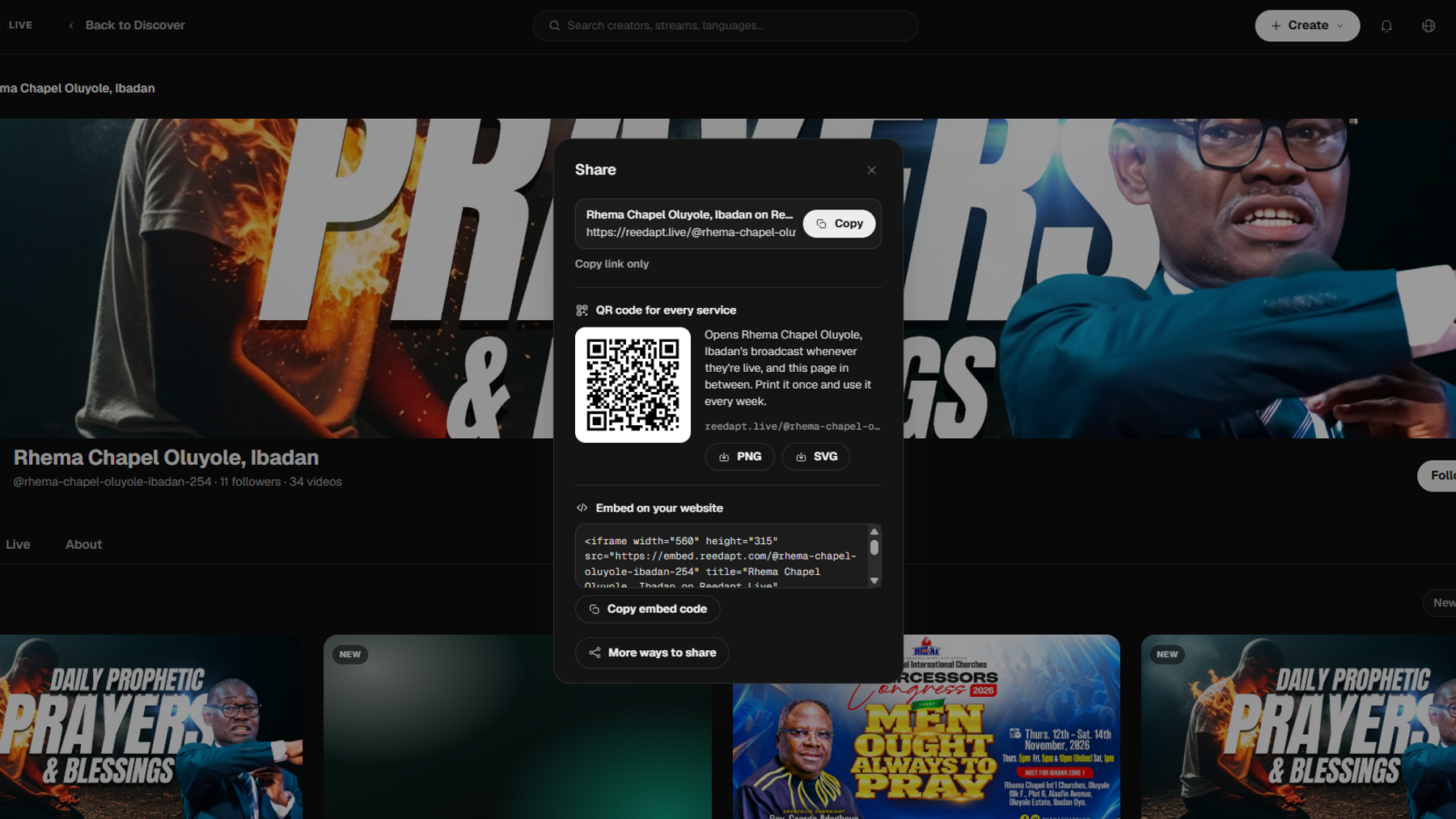
Your channel link looks like reedapt.live/@your-channel/live. While you are live, it opens your broadcast. In between broadcasts, it shows your channel page and brings viewers in the moment you start. It never opens an old broadcast, so nobody lands on last Sunday's recording by mistake.
Print the QR code once
Share now includes a QR code for that link. You can download it as a PNG or an SVG that is ready to print. You will find both under Share on your channel page. Put it on a bulletin, a poster, a screen at the back of the room or a slide at the start of your event. The code keeps working every time you go live.
Languages in their own words
Languages are now shown in their own words, such as Français, 中文 and العربية. A viewer who reads French should not have to guess which button says French. If a viewer's phone is set to one of the languages you offer, Reedapt Live offers it to them with one tap. They can switch to another language at any point while watching.
Smaller changes that help
Broadcasts without a title are now named by their day, for example Live broadcast, Sunday 12 Oct, so your channel page stays readable even when you forget to type a title. On big screens, Live uses the whole screen, with more videos in each row and a bigger player.
Who this is for
Anyone who goes live on a schedule: a church on Sundays, a weekly class, a recurring town hall, a regular show. If your audience should not have to hunt for a new link, this is the fix. Open your channel on Reedapt Live, go to Share, and download your QR code today.